

KeyPedidos

Your salespeople enter the order out on the road

The salesperson visits the client, enters the order on the phone with real prices and stock, and it appears in KeyGestión ready to invoice. Nobody types it again at the office.

Sales rep with a tablet taking an order from a client in her warehouse
Without signal the salesperson keeps entering orders; when the connection returns, the order flows into the office on its own.

Used by the sales reps at Descartables Franco Aranda.

  • Descartables Franco Aranda

What the salesperson carries on the phone

Four things, nothing more: the salesperson takes the order, sees the customer, has the right prices, and everything lands at the office ready to invoice.

Orders from the app

The full catalog in the salesperson’s pocket.

  • App for Android phones and tablets, and for Windows
  • Keeps working without signal and syncs when the connection comes back
  • Product catalog with images and descriptions
  • Fast search by code or description
  • Totals and taxes calculated automatically
  • Available stock in sight before confirming

Clients on the route

Everything the salesperson needs to know about the client.

  • Client base synced with the office
  • Tax and contact data at hand
  • Balances and credit limits in sight
  • Purchase and past order history
  • Commercial terms per client

Price lists

Each client gets their price, error-free.

  • Multiple price lists per client
  • Automatic discounts based on terms

KeyGestión integration

What’s entered on the road shows up at the office, ready to invoice.

  • Automatic sync, nobody has to trigger it
  • Clients, items, prices and stock always current
  • Orders turned into quotes automatically
Delivery van loaded with boxes, parked in front of a store
The order the rep entered on the road is already at the office by the time the van leaves.

Why the order arrives right at the office

  • From the phone to the quote, directly

    The order the salesperson enters on the road appears at the office as a quote, ready to invoice.

  • Real prices and balances

    The salesperson sees that client’s price, their balance and the available stock. Fewer promises that can’t be kept.

  • Up in days, not months

    It connects with the clients and items you already have loaded: no migration, no initial data entry.

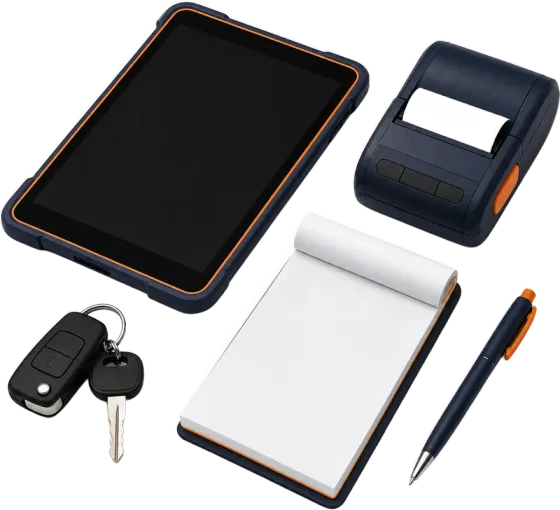
Tablet, portable printer, notepad, pen and keys: what a sales rep carries

Frequently asked questions

Does KeyPedidos need internet?

Not to take the order: it works without signal and syncs when the connection comes back.

How does it integrate with KeyGestión?

It automatically syncs clients, items, price lists and commercial terms. The orders your salesperson enters come in as quotes, ready to review and invoice.

Which devices does it run on?

Android phones and tablets, and Windows computers. It installs as an app.

Does it handle different price lists?

Yes, it syncs every list configured in the system. Each salesperson sees the prices that apply to each client, with their current discounts.

How long does implementation take?

One or two weeks, in three steps: we connect the app to your system (2 to 3 days), adjust it to how you sell (3 to 5 days) and train your salespeople testing with real orders (1 week). Since it uses the database you already have, there’s no need to load clients or items from scratch.

Try it with your own price list

Bring your price list and we’ll build a test order together, just like your salesperson would. No commitment. Paid once, like the rest of the systems.

KeySistemas · San Martín, Mendoza · since 1995